 VVavy
VVavy
Use Claude To Create New VVavy Visuals Or Integrate Existing Shader Code With The Updated Custom Visual Workflow
VVavy now has a cleaner external AI workflow for custom visuals. If you want to use Claude to create something new from scratch or adapt visual code you already have, the app now guides those two jobs separately so the assistant can stay focused and the final output is much more likely to paste into VVavy cleanly on the first pass.
The update is about a better workflow, not vague AI magic
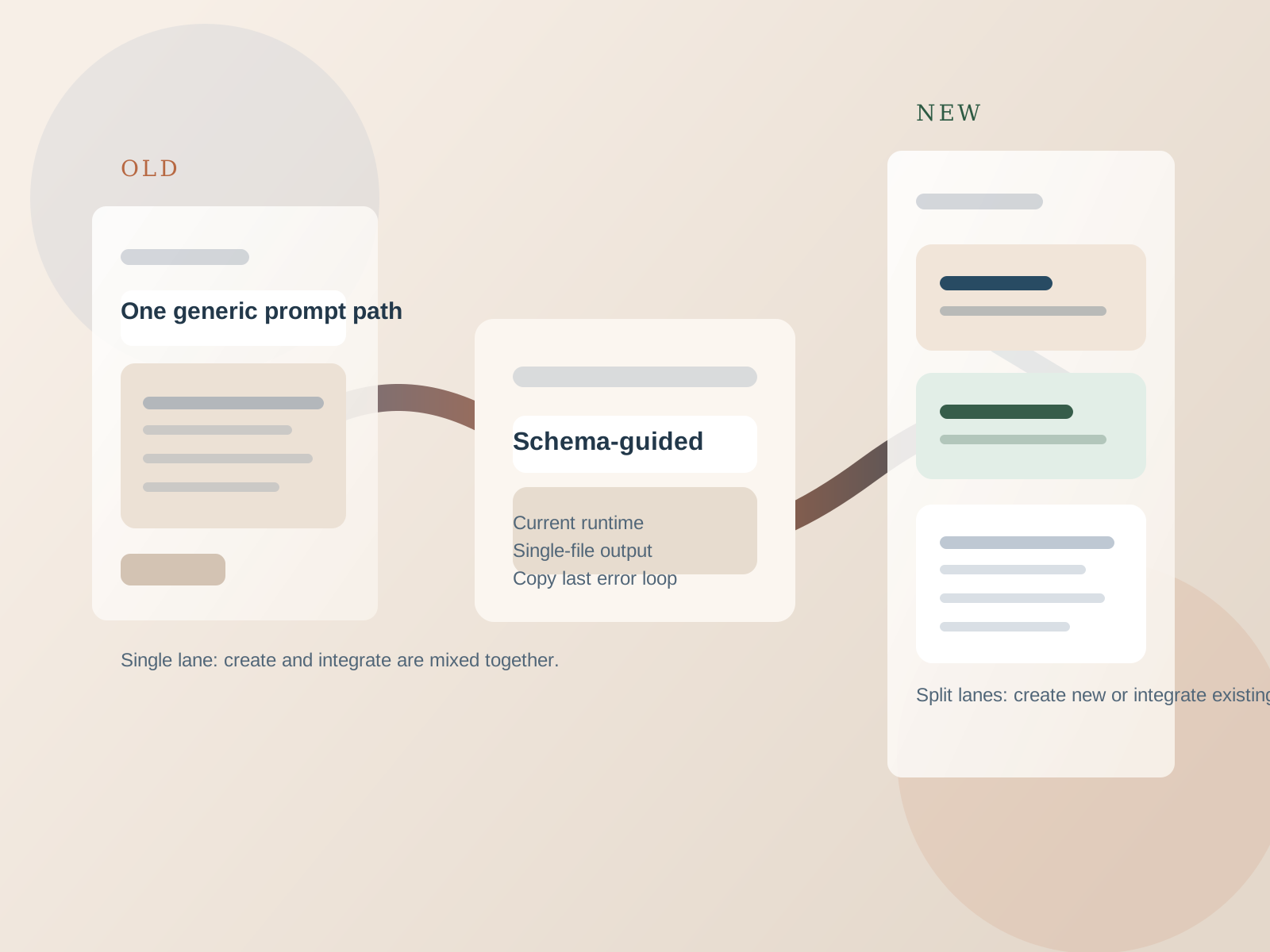
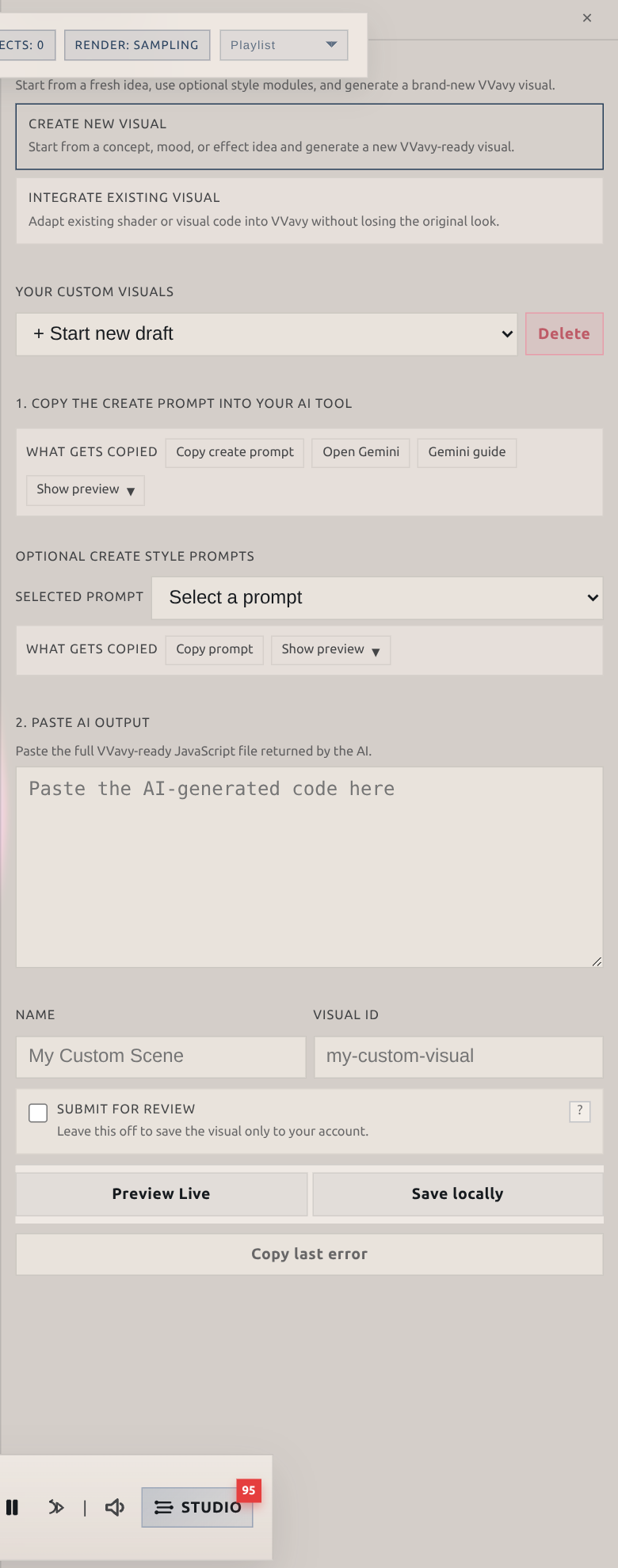
The important change is that VVavy now treats two very different jobs as two different workflows. One is for creating a new visual from a concept, mood, or effect idea. The other is for integrating existing shader or visual code into VVavy without throwing away the original look.
That sounds simple, but it matters. External AI assistants perform better when the task is framed clearly. A brand-new visual and an adaptation of existing source material are not the same request, so VVavy now gives them separate prompt paths instead of forcing both into one generic instruction block.
In practice, that means the app is better at helping you work with a tool like Claude because it gives the assistant a more precise starting point before you ever hit paste.
Why Claude fits this VVavy workflow well
Claude is a practical choice here because custom visual work often involves long prompts, specific constraints, source snippets, shader fragments, and a need to keep the final answer inside one clean file. That maps well to the kind of focused, iterative conversation VVavy now encourages.
The point is not that VVavy has a direct Claude API built into the visual editor. The point is that VVavy now hands you a much better prompt workflow to use with an external assistant, and Claude is especially useful when you need to preserve structure, follow runtime rules, and iterate on errors without losing the original brief.
That improved handoff is useful when you want to:
- describe a brand-new visual idea and get a VVavy-ready result back
- paste shader files or old JS experiments and ask for a VVavy-compatible adaptation
- keep the final output as one single-file JavaScript visual for paste-and-preview
- iterate quickly when a preview fails and you need to repair the output in the next turn
Create mode now gives the assistant a cleaner starting point
If you choose Create New Visual in VVavy, the app gives you a prompt designed specifically for starting from a fresh concept. It tells the assistant that the workflow is already in create mode, so it does not waste time asking whether you want to create or integrate.
That prompt also pushes the assistant toward the things that actually matter for a good first result: the mood, theme, motion language, palette, energy level, and which visible behaviors should react to which audio metrics.
VVavy also supports optional style prompts such as kaleidoscope, temporal feedback, reaction diffusion, domain warping, flow fields, and other baseline directions. Those modules give Claude a better visual recipe without forcing a generic result.
The create path is stronger because it now emphasizes:
- a clear create-only brief instead of a mixed create-or-integrate prompt
- audio-to-visual mapping before code generation
- VVavy-safe output rules for one paste-ready JavaScript file
- optional style modules when you want a more specific starting direction
Integrate mode is the more important upgrade for people with existing code
The bigger improvement is the separate Integrate Existing Visual path. If you already have shader code, JavaScript experiments, visual snippets, or notes about an older effect, VVavy now gives the external assistant a dedicated integration prompt instead of making it guess how much of the original piece should survive.
That prompt tells the assistant to analyze the incoming source, identify what is structural, stylistic, and temporal, and ask what parts must remain recognizable. It also tells you to paste every relevant source file before asking for the final result and to explicitly say `all files copied` once the source handoff is complete.
That is a better pattern for adapting existing work because it reduces the chance that Claude starts generating a replacement before it has actually seen the full source material.
The integration path is built to preserve things like:
- geometry and spatial staging
- color language and shading style
- timing, pacing, and motion feel
- recognizable effects such as trails, warping, lighting, or feedback
- the original visual identity while making it VVavy-safe and audio-reactive
VVavy now gives the assistant better technical boundaries too
A lot of bad AI-generated visual code fails because the rules are underspecified. VVavy now tightens those boundaries. The prompts point the assistant to the live custom visual schema, explain the current frame shape and available metrics, and enforce the single-file output model that the paste flow actually needs.
That means Claude is not being asked to invent runtime details from memory. It is being told to work from the current VVavy schema and return one final JavaScript file that fits the browser sandbox and custom visual API.
That kind of constraint matters because better AI output usually comes from better boundaries. The less ambiguity there is around the runtime, the less cleanup you have to do after the first response.
The updated workflow now reinforces details such as:
- using the current VVavy schema as the source of truth
- returning one single paste-ready JavaScript file
- keeping the result inside VVavy’s custom visual runtime model
- mapping real audio metrics to visible behavior instead of inventing fake fields
- treating safety and sandbox limits as part of the output contract
The paste-preview-fix loop is more practical now
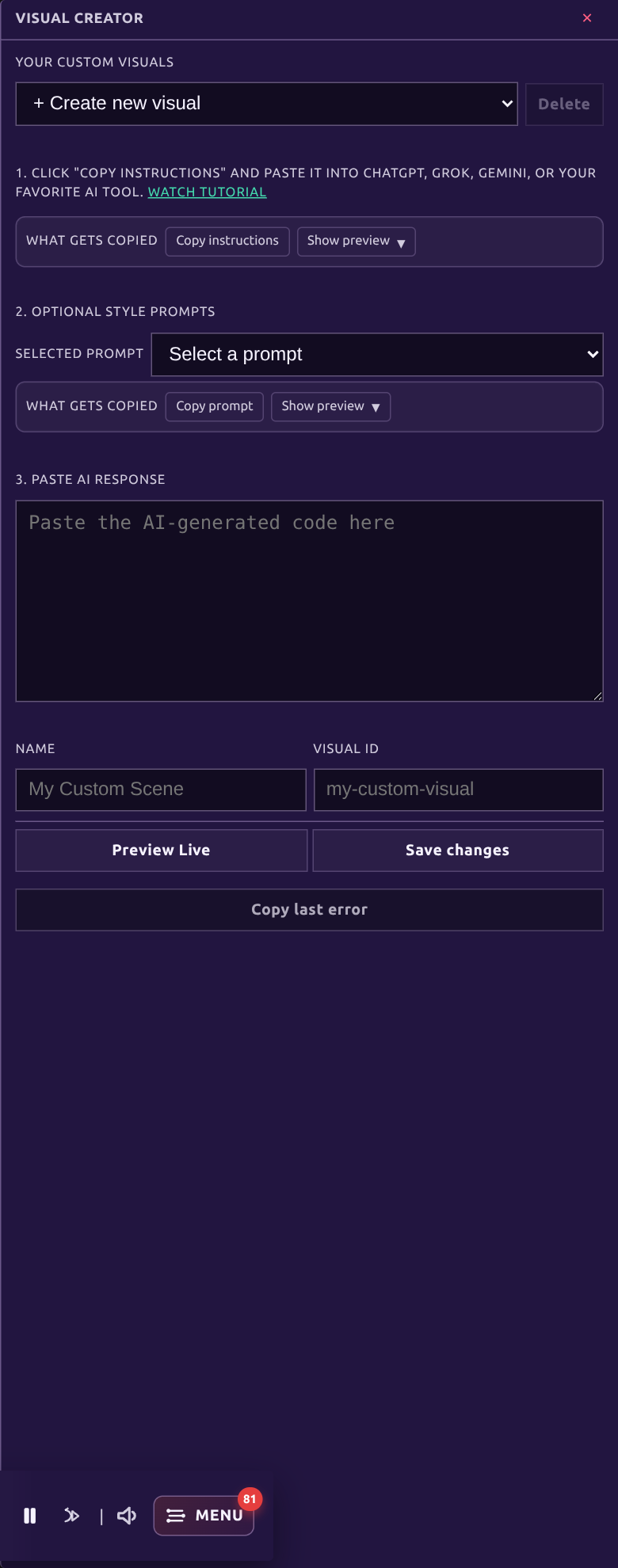
Once Claude gives you the output, VVavy keeps the workflow simple. You paste the full file into Custom Visuals, preview it live, and either keep iterating or save it. If the preview fails, VVavy gives you a `Copy last error` action so you can hand the actual runtime failure back to the assistant.
That closes the loop in a much cleaner way. Instead of vaguely telling the assistant that the visual broke, you can give it the exact error from the VVavy preview environment and ask for a full corrected file in the next message.
For AI-assisted creation, that repair loop is almost as important as the initial generation step. Good iteration speed is what turns the assistant into a practical tool instead of a one-shot gamble.
A simple Claude workflow now looks like this:
- Open VVavy Custom Visuals and choose either Create New Visual or Integrate Existing Visual.
- Copy the generated instructions into Claude.
- If you are integrating, paste every relevant source snippet and then say `all files copied`.
- Ask for the final single-file VVavy output and paste it back into VVavy.
- Preview it live and, if needed, use `Copy last error` to send the exact failure back to Claude for the next revision.
Why this matters for VVavy users
This update makes VVavy more useful for two groups at once. It helps people who have a visual idea but do not want to build everything by hand, and it helps people who already have interesting code or shader experiments and want a better path into VVavy.
That is the real value of better external AI integration here. It is not abstract automation. It is a more reliable bridge between your idea or your existing source material and a VVavy-compatible visual that you can actually preview, revise, save, and use.
Keep exploring
Common questions
Try the updated custom visual workflow in VVavy
Open the app, choose the workflow that matches your goal, and use Claude to either create a new visual from scratch or adapt code you already have into a VVavy-ready scene.